
Manual order
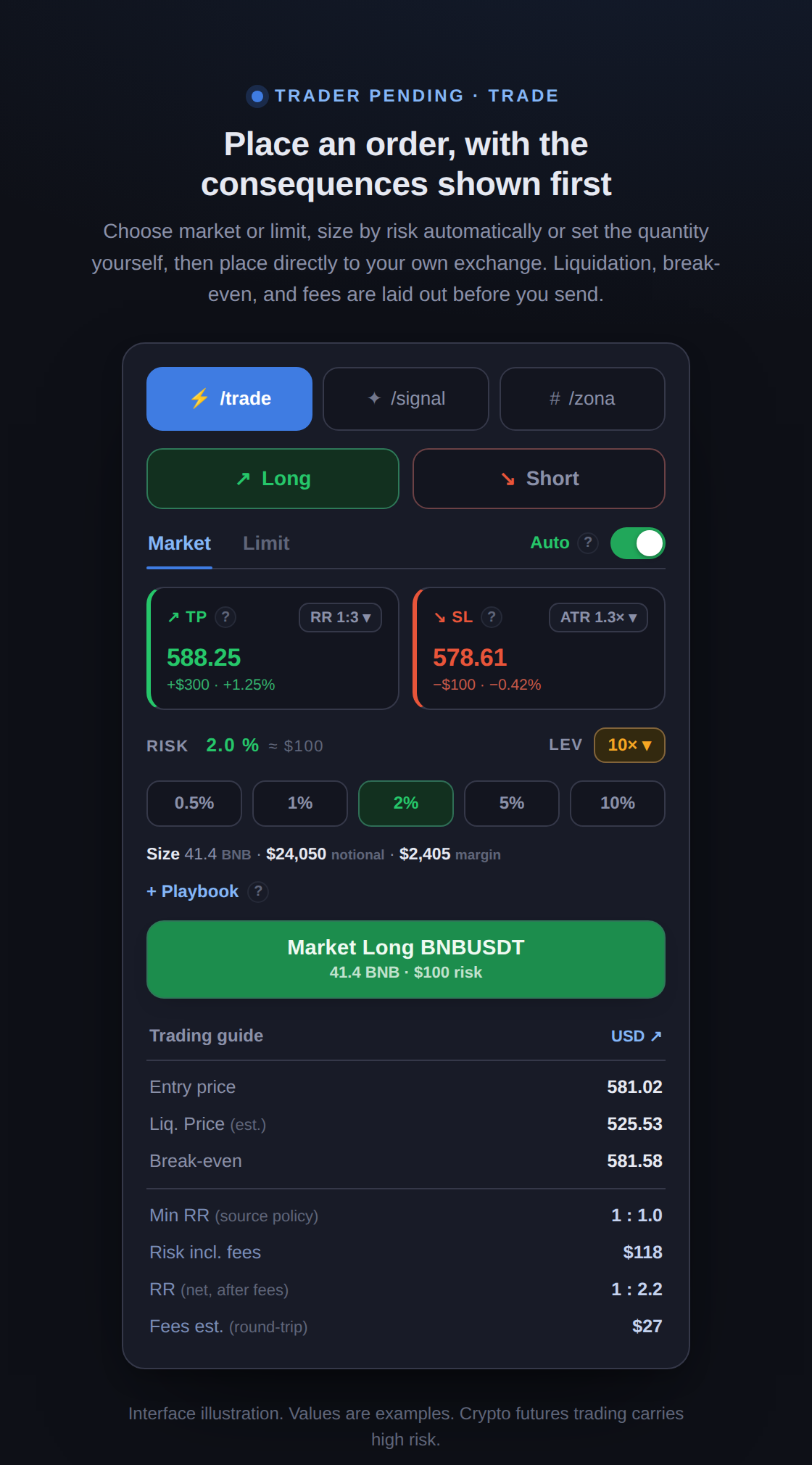
This guide covers how to send a manual order through the /trade tab. You choose the direction, order type, and how size is calculated, then the stop-loss and targets, and Trader Pending shows the consequences, including liquidation price, break-even, and fees, before you press send. The order is forwarded directly to your own exchange account through your own API key.
1. Direction and order type
Section titled “1. Direction and order type”- Long or Short. Choose the direction of the position.
- Market or Limit. Market enters now at the current price. Limit waits at a price you set, with a Limit Price field that appears for you to fill in.
- Auto-expire (Limit only). Default Off: a limit order waits until it fills or you cancel it yourself. Pick a duration (1 hour to 7 days) if you want the order cancelled automatically once the time passes; the remaining time shows as a tag in the Open Orders list. Regardless of this setting, a limit order whose setup is no longer valid, when price closes through its stop-loss, is cancelled automatically with a notification.
2. Position size: Auto or Manual
Section titled “2. Position size: Auto or Manual”The Auto/Manual switch decides how position size is calculated.
- Auto. You simply pick the percentage of capital to risk per trade, from 0.25% up to 10%, and the position size is computed automatically from that risk divided by the stop distance. In this mode leverage is also capped automatically to the safest value, the one that keeps the liquidation price behind your stop-loss.
- Manual. You set the quantity directly with a slider, with full control over size, including beyond the suggestion if that is your choice. Leverage can go up to the pair’s maximum.
The 10% risk ceiling is deliberate: beyond it, sizing is no longer about managing risk. All of this is a tool, not a rule, and the decision remains entirely yours.
3. Stop-loss and take-profit
Section titled “3. Stop-loss and take-profit”- Stop-loss. Can follow ATR, the market’s actual volatility (0.5x, 1.0x, 1.3x, or Custom), so the stop sits beyond normal price noise rather than at a fixed distance you guess at. A larger multiple gives the trade more room. Choose Manual to set the exact price yourself. The stop-loss is placed directly on the exchange, so it stays in effect even if the bot connection drops.
- Take-profit. By reward-to-risk ratio (RR 1:1, 1:2, 1:3, or Custom): the target is placed at a multiple of your stop distance, so RR 1:2 aims for twice what the stop risks. Choose Manual to set the price yourself.
4. Read the consequences before sending
Section titled “4. Read the consequences before sending”The Trading guide section sums up what actually happens if the order goes out, plainly:
- Entry price, Liq. Price (est.), and Break-even. The entry, the estimated liquidation price, and the break-even point after fees.
- Min RR (source policy). The minimum reward-to-risk that applies on this order path.
- Risk (USDT) and Risk incl. fees. The loss when the stop is hit, before and after fees.
- RR (net, after fees). The reward-to-risk after accounting for fees, a more honest number than the gross RR.
- Fees est. (round-trip). The estimated cost to open and close the position.
Playbook (optional)
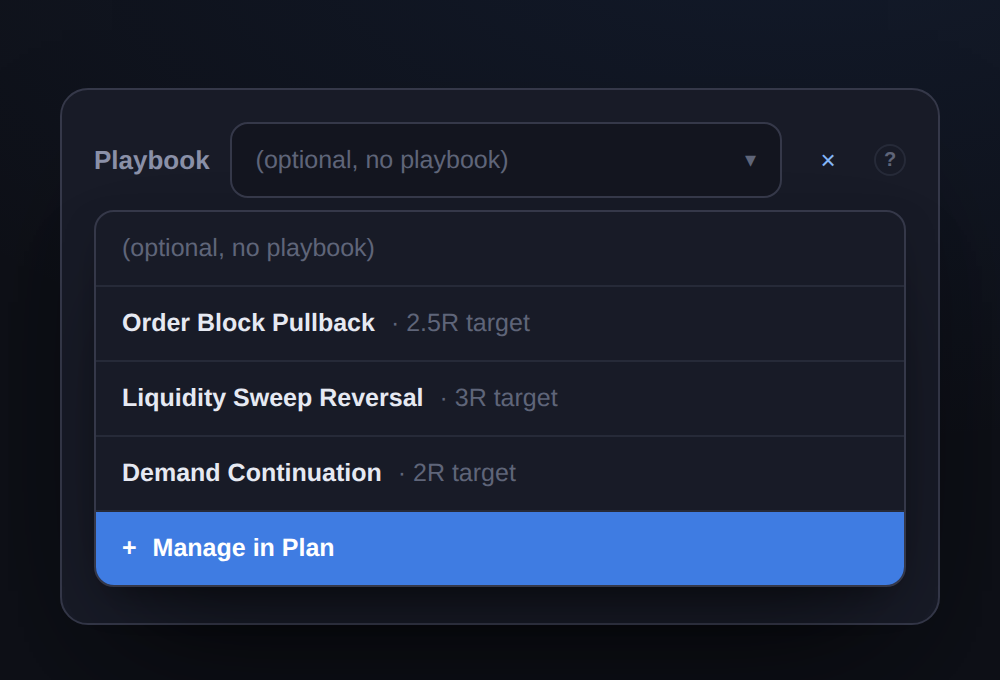
Section titled “Playbook (optional)”Link this trade to a saved strategy (a playbook). Your journal then breaks performance down by strategy, so each setup is measured on its own. Playbooks are built and managed in the journal’s Plan tab; see Playbook & Plan.
Crypto futures trading carries high risk, including the possibility of losing part or all of your capital. Trader Pending does not promise profit and does not hold your funds. All risk limits are optional and entirely up to you.