Trading assistant
Trader Pending helps you read the market, it does not replace your judgement. Everything in this section is input for consideration; the decision and execution stay with you.
- Price alerts. Set an alert when the price crosses a level you define, with context (price and trend direction) when the alert fires.
- Zone alerts. Subscribe to supply and demand as well as support and resistance zone detection on the pairs and timeframes you choose, then get notified when a new zone forms or breaks.
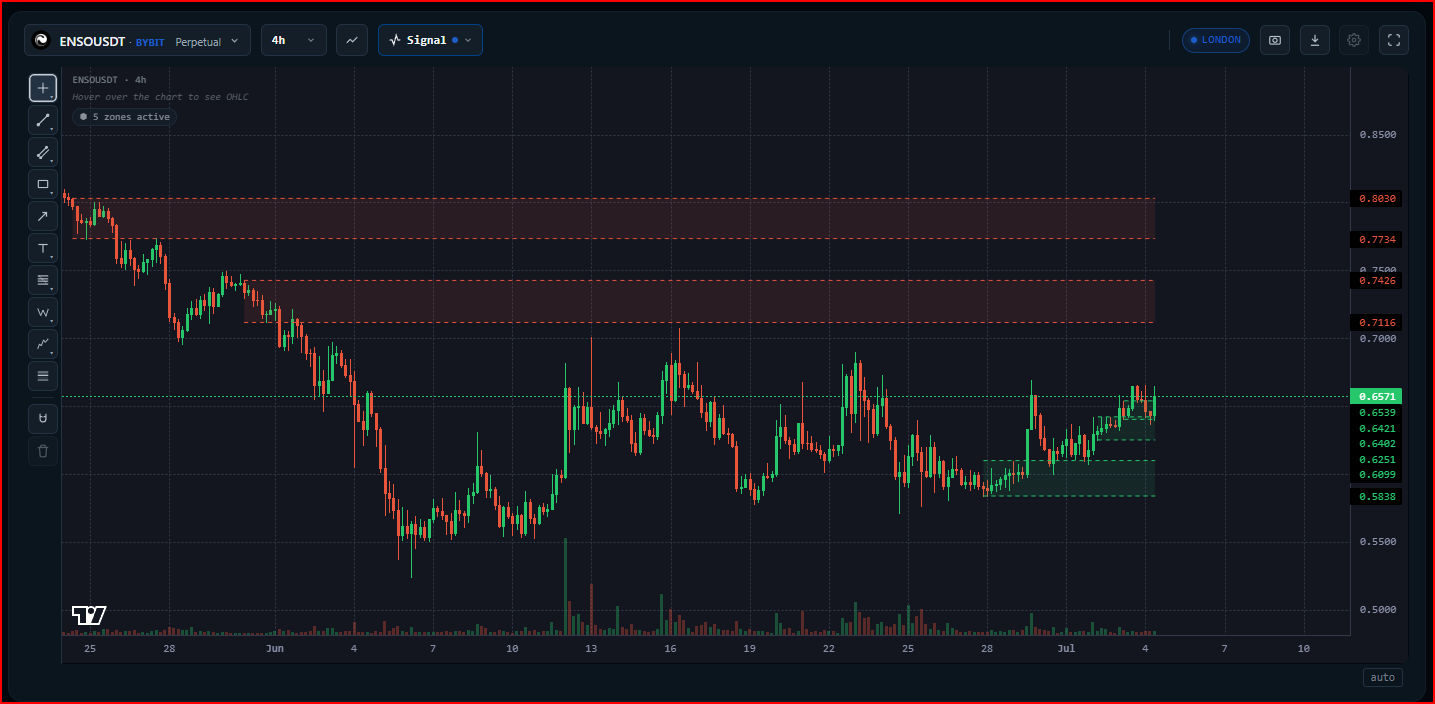
- On-chart zone detection. Supply and demand as well as support and resistance zones are drawn as a visual layer on the chart to help you mark key areas.
- Public signal channel. Follow a channel that broadcasts selected zones and levels, also shown inside the app with a chart image.
Everything is read-only. Trader Pending presents the analysis; you decide whether and how to act on it.
Zones as analysis material, not instructions
Section titled “Zones as analysis material, not instructions”Classic zones such as supply and demand and support and resistance exist for one purpose: to speed up analysis, not to replace it. For a trader still building experience, zones help mark the areas worth looking at first, so the chart does not have to be read from scratch every time.
Many zones are shown on purpose, rather than narrowed to a single entry point, because a zone is analysis material, not an instruction. A detected zone can be wrong or irrelevant to the current context. So treat a zone as the start of your analysis, not the end: confirm it against price structure, timeframe, and your own judgement before deciding.
To cut down on noise, a wick filter is available that helps screen out zones and signals born from momentary spikes, such as a news reaction or a long wick that quickly reverses. The filter reduces interference, but it does not change one basic fact: no zone is guaranteed to be profitable. The outcome always comes back to your own analysis.