Connect Telegram
Linking Telegram gives you real-time notifications (entries, TP/SL, bot events) and the ability to act straight from the chat. You do it once, from the web app.
You still sign in to Trader Pending with email or Google. Telegram is a notification and control channel, not a login method.
Before you start
Section titled “Before you start”- You already have an account and are signed in (with email or Google).
- The official Telegram bot is @traderpendingbot. Every connection link points to this bot.
Steps to connect
Section titled “Steps to connect”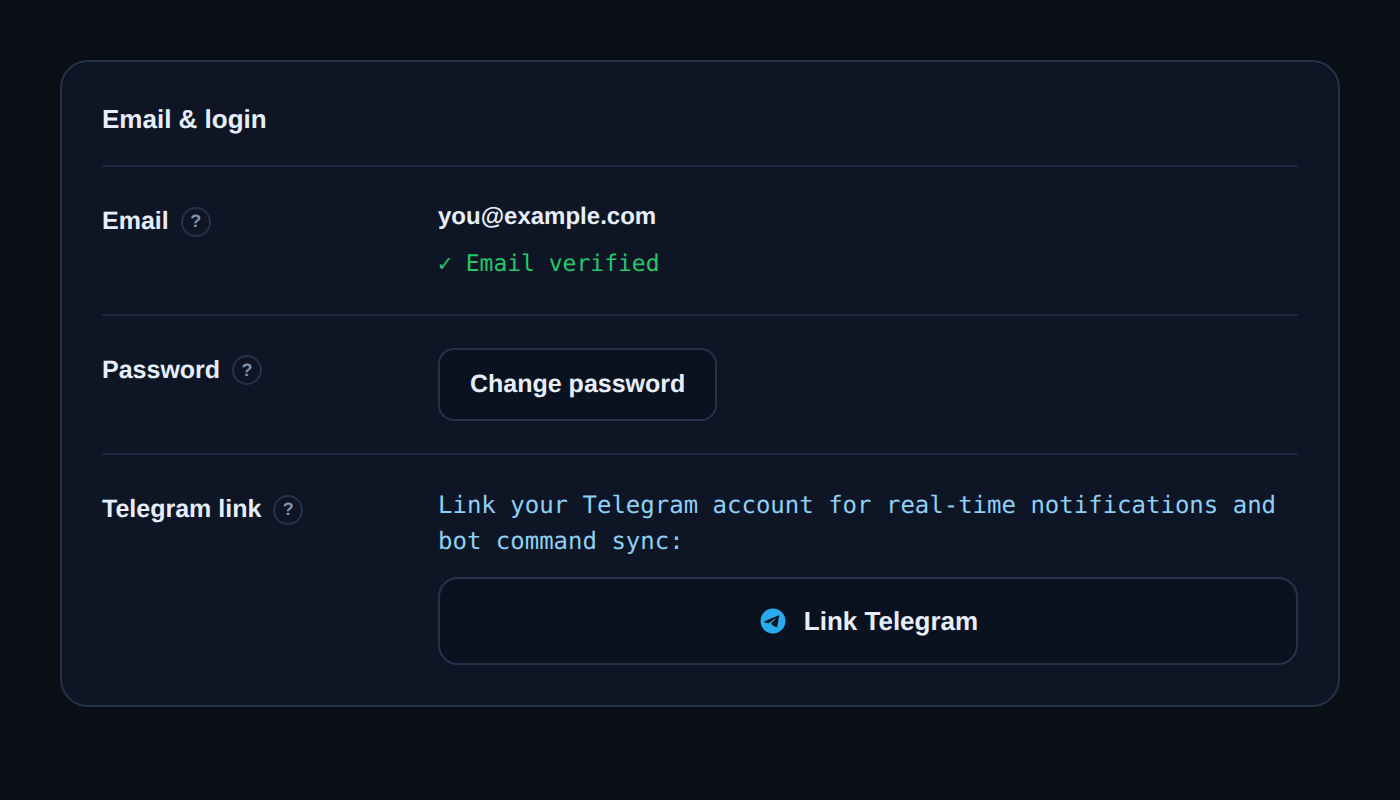
- Open Settings and go to the Account tab. In the Telegram link section, click Link Telegram.
- Your browser asks for permission to open Telegram. Allow it, and the @traderpendingbot chat opens.
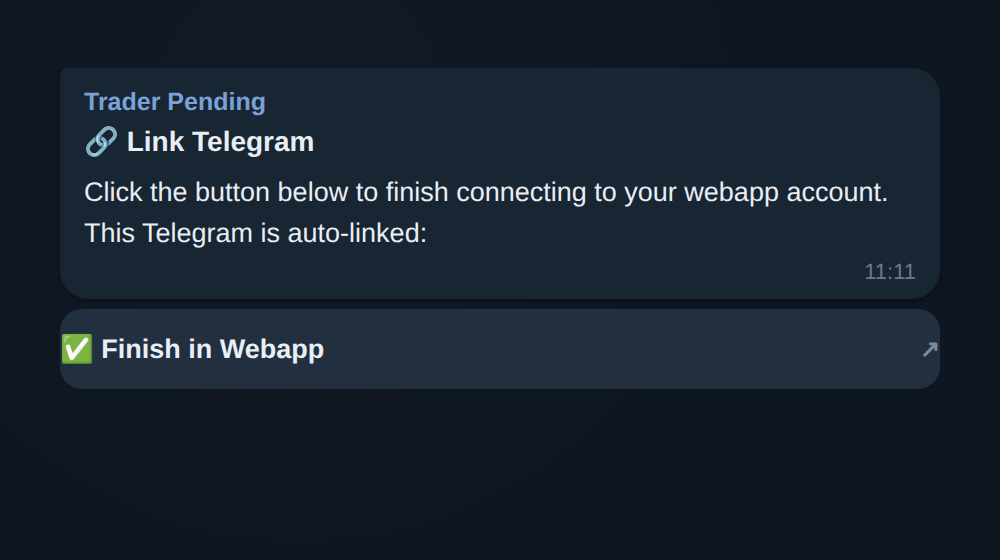
- In the chat, the bot sends a confirmation message with a Finish in Webapp button. Click it.
- You return to the web app. Telegram links right away, and the Telegram link section now shows your Telegram ID with an Unlink button.
That is it. Your Telegram is now connected to your account.
After connecting
Section titled “After connecting”- Real-time notifications. Entries, TP and SL hits, closed positions, Grid and DCA events, loss limits or emergency stops, detected zones, price alerts, news, and connection health. Each type can be toggled from the bot’s settings menu.
- Act from the chat. Send a manual order, paste a signal, manage zones, check balance and positions, pause or resume bots, set risk (Pro plan), show a chart, and more. Type /help in the bot to navigate the menu.
- Open the web app. The bot gives you a button to open the web app any time.
Unlinking
Section titled “Unlinking”In Settings → Account → Telegram link, click Unlink. Once unlinked, the bot stops sending notifications to your account, and you can reconnect any time.
If something goes wrong
Section titled “If something goes wrong”- The link expired or was already used. A connection link is valid for about 10 minutes and is single-use. Open Settings and click Link Telegram again to get a new one.
- “This Telegram is already linked to another account”. One Telegram account can only link to one Trader Pending account. Unlink it from the old account first, then connect it here.
- You are not receiving notifications. Make sure the Telegram link section shows your ID (meaning it is connected), then check your notification preferences in the bot’s settings menu.
Telegram is not used to log in. You sign in with email or Google, and Telegram complements your account with notifications and quick control from the chat.